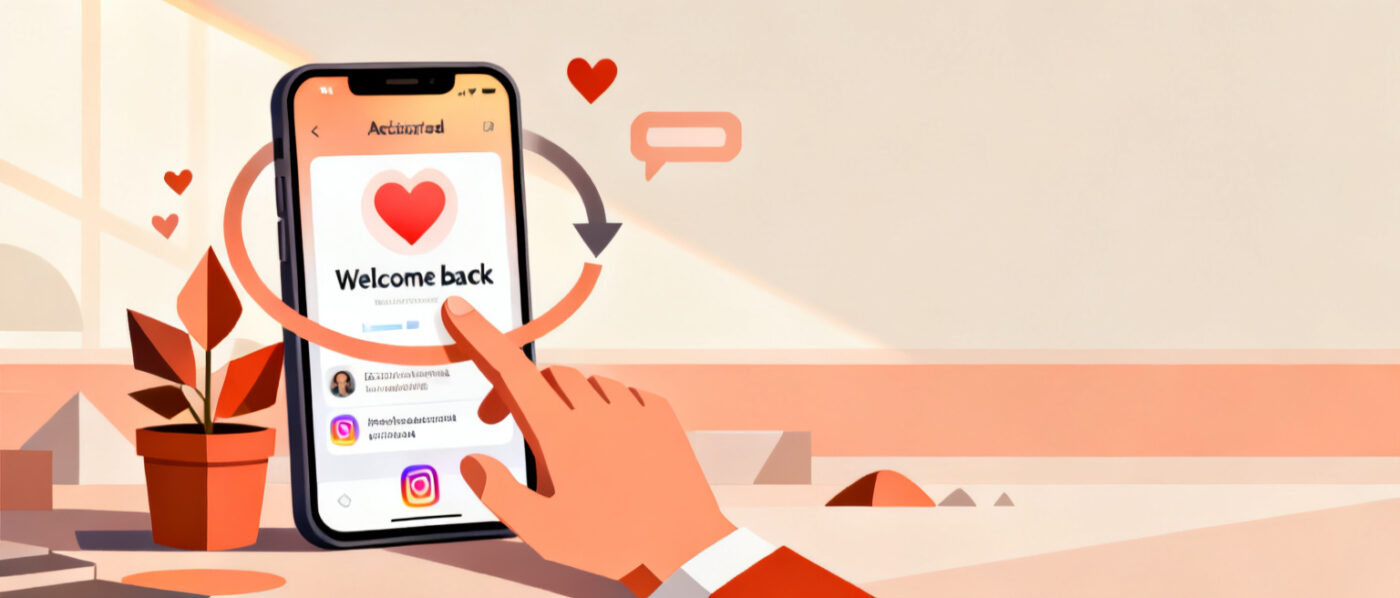
Ready to come back after a break? To reactivate Instagram account access in 2026, the good news is that most of the process is simple, and in many cases you only need to log back in. What you do next depends on how you left: a temporary deactivation, a recent permanent deletion, or a profile Instagram has restricted. This guide walks through each situation with the current steps so you can get back to posting without guessing.
Table of Contents
First, know which situation you are in
Instagram treats “deactivated,” “deleted,” and “disabled” very differently, and the recovery path is not the same for each. Before you try anything, match your situation to one of these three:
- Temporarily deactivated by you, from Settings. This is fully reversible.
- Deleted by you, but within the last 30 days. Still recoverable during a grace window.
- Disabled by Instagram for a policy issue. This needs a review request, not just a login.
Once you know which bucket you fall into, follow the matching section below.
How to reactivate a temporarily deactivated account
If you used the built-in “Deactivate account” option, your profile is only hidden, not gone. Everything (posts, followers, direct messages, and settings) is waiting for you. Here is how to bring it back:
- Open the Instagram app on your phone, or go to the Instagram website in a browser.
- Enter your usual username and password on the login screen.
- Tap or click Log in. That single action reactivates the profile automatically.
- Give it a minute. Your followers and content usually reappear within seconds, though counts can take a few minutes to refresh across every device.
There is no separate “reactivate” button to hunt for. Logging in is the whole process. If you use two-factor authentication, keep your phone or authenticator app handy so you can confirm the code.
Why your login might not work right away
Instagram asks you to wait a short while after deactivating before you can log back in. In practice that means giving it around 24 hours. If you try too soon and see an error, that is normal, so wait a day and attempt the login again rather than resetting anything. Also remember the platform allows only one deactivation per seven days, so if you reactivate now you will need to wait a full week before you can deactivate again.
How to recover a recently deleted account
Deleting is more serious than deactivating, but Instagram still builds in a safety net. When you confirm a permanent deletion, the account enters a 30-day grace period during which it is hidden from everyone but not yet erased. To cancel the deletion and get your profile back:
- Log in with your username and password within 30 days of requesting deletion.
- Follow any on-screen prompt confirming that you want to keep the account.
- Once you are back in, the scheduled deletion is cancelled and your content stays put.
The catch is the calendar. After the 30-day window closes, the account and everything tied to it are removed for good and cannot be restored, so act quickly if you have changed your mind. If you are unsure whether the clock has run out, simply attempt the login. If it succeeds, you are still inside the window.
How to reactivate a disabled Instagram account
If you open the app and see a message saying your account was disabled, logging in alone will not fix it. This is a moderation action, and the path in 2026 runs through an in-app review request rather than the old standalone forms:
- On the login or block screen, look for a Request Review (sometimes shown as “Appeal”) option and tap it.
- Confirm the account details Instagram asks for, such as your username and the email or phone number on file.
- Write a short, honest message explaining your situation and submit it.
- Watch the linked email inbox for Instagram’s response and follow any verification steps they send.
You generally have up to 30 days to submit an appeal, so do not sit on it. Reviews can take anywhere from a day to a couple of weeks, and staying patient while checking your email is the best approach. If any part of your profile is still reachable, it is smart to save a copy of your data first: go to Settings, then Accounts Center, then Your information and permissions, and choose Download your information.
What you keep when you come back
For a deactivation or a cancelled deletion, the answer is reassuring: you keep everything. Your followers stay connected, your photos and reels remain in place, your captions and comments are intact, and your direct message history is preserved. Nothing about coming back resets your audience or your posts. The only scenario where content is truly lost is a deletion that passes the 30-day mark, because at that point recovery is no longer possible.
Getting your momentum back after a break
Reactivating is the easy part. Rebuilding the rhythm that makes your profile feel alive again takes a little more effort, especially if you were away for weeks or months. The algorithm rewards consistency, so a few small habits help: post to Stories daily for a week or two, reply to comments quickly, and go live to remind followers you are active. If you want that first stream to feel busy from the start, a modest boost of Instagram live views can add early social proof while your regular viewers filter back in.
It also helps to lean into a clear focus. Many creators use a return as a chance to sharpen their niche, and our notes on marketing for influencers cover practical ways to turn a fresh start into steady growth rather than a slow restart.
Wrapping up
Frequently asked questions
No. The seven-day rule limits how often you can deactivate, not how soon you can return. After a deactivation you usually only need to wait around 24 hours before logging back in reactivates your account.
Yes. A temporary deactivation is fully reversible. Just open the app or website and log in with your username and password, and your profile, followers, and posts come back automatically.
Logging in will not restore a disabled account on its own. Look for the Request Review or Appeal option on the login screen, confirm your account details, and submit a short explanation. Instagram usually gives you up to 30 days to appeal.
Only within 30 days of confirming the deletion. During that grace period, logging back in cancels the deletion and keeps your content. After 30 days the account and its data are removed and cannot be recovered.
No. For a deactivation or a cancelled deletion, your followers, photos, reels, comments, and direct messages all stay exactly as they were. Nothing is reset when you come back.
Conclusion
Whether you deactivated on purpose, deleted within the last month, or need to appeal a disabled profile, the way to reactivate Instagram account access is more straightforward than it looks once you know which situation applies. Log in for a deactivation, log in within 30 days for a deletion, and request a review for a disabled account. When you are back and ready to grow again, you can try our services to give your returning content real, people-powered engagement that helps your comeback land.
